EXCEL REPORT AUTOMATION · 9 MIN READ
Why Customer-Specific Excel Reports Make Inspection Automation Hard
Inspection automation is much easier when every job ends in the same standardized template. The harder and more common problem is working with reports whose structure is determined by the customer, project or organization receiving them.
Microsoft's Open XML documentation explains the structure and behavior of Excel files; the W3C provenance model explains relationships between information and its origins.
Published October 2, 2026 · ACTUALin Technical Resources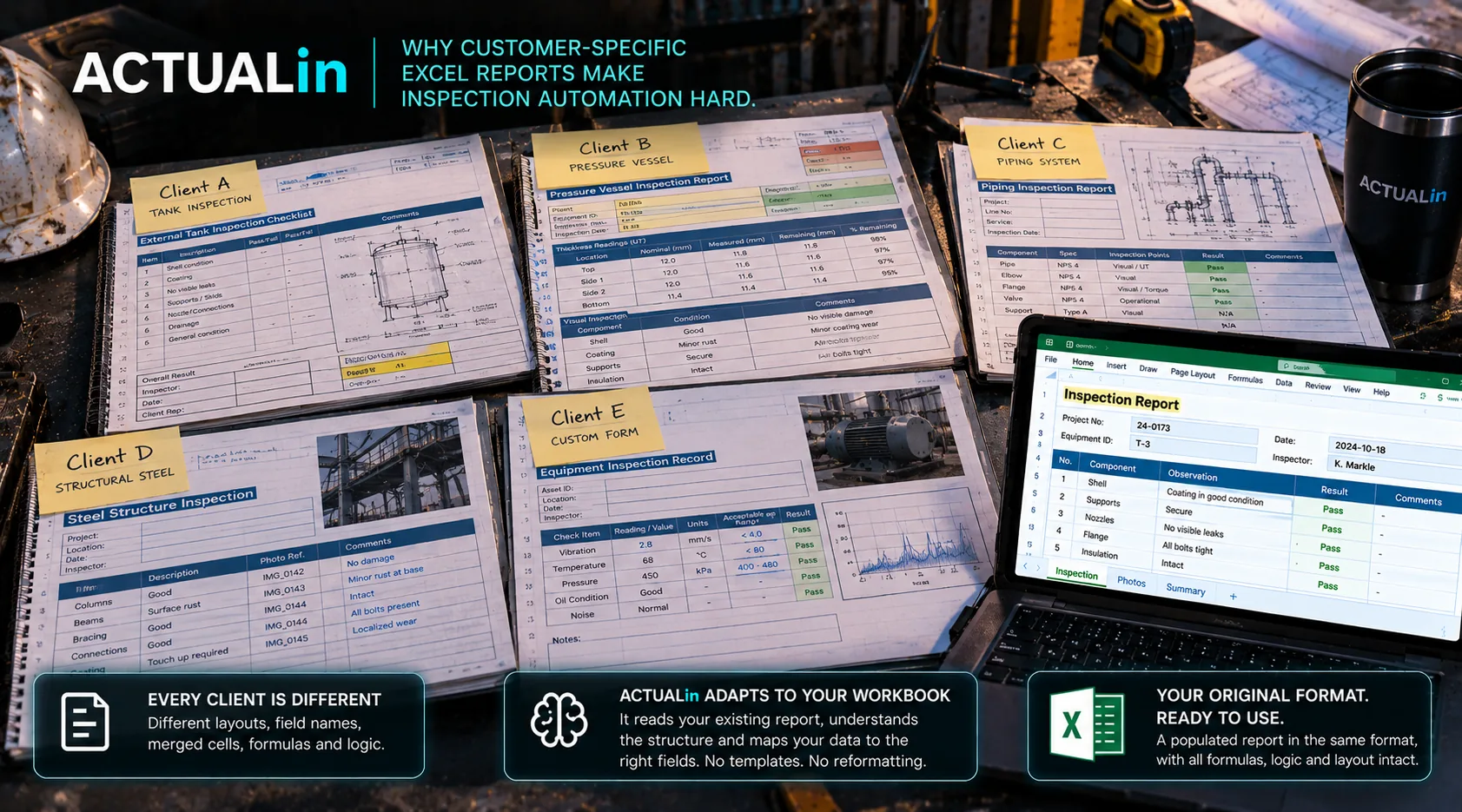
Customer-specific Excel reports create a compatibility problem that does not exist when every job uses the same template. Two clients can request the same measurements while requiring different sheet structures, formulas, labels and layouts. An automation system must determine where recorded evidence belongs without changing what the customer expects to receive.
The useful comparison is not between Excel and a new reporting platform. It is between two workbooks that are both legitimate deliverables but cannot safely use the same fixed field map.
Two customers, one inspection task
Imagine the same thickness inspection being reported for two customers. Customer A uses a table with one row per component and a formula-driven summary. Customer B uses a separate worksheet for each component, merged comments fields and a photo area beside each finding. These are illustrative workbook designs, not documented customer deployments.
The input evidence may identify the same asset, measurement and observation in both cases. But mapping that evidence to A's table row does not tell the system which sheet and merged input to use in B's report. A hardcoded coordinate can be correct for one workbook and misleading for the other.
Same inspection evidence + different customer workbook structures → different reviewed destinations
Choose where to absorb the variability
Require one standardized template. This reduces configuration work for the software, but it may require teams to replace documents the customer expects, migrate formulas or obtain acceptance for the new format.
Configure every template manually. A stable library of a few workbooks can support explicit mappings. Reconfiguration becomes costly when clients revise layouts or provide project-specific variants.
Interpret the actual workbook. Software can examine labels, nearby section identifiers, formulas and merges, then propose evidence-to-field associations. This reduces repetitive setup but introduces uncertainty that must remain reviewable.
No approach is automatically best. The decision depends on how many workbook families the business handles, how frequently they change and what the customer actually requires.
Compatibility has two independent tests
Meaning: Does a measurement or observation belong in this particular component, sheet and field? Identical labels can appear repeatedly, so finding a matching word does not establish the destination.
Document integrity: Is that destination safe to modify without overwriting formulas, authored content, merged structures, existing images or required print settings?
A system can pass either test and fail the other. The source evidence might identify the correct component while its intended Excel field contains a protected calculation. Or the field may be writable while the source note does not identify which component it describes.
The Microsoft Open XML spreadsheet documentation describes the workbook format behind these structures. The W3C provenance model provides background on relating outputs to their sources. These references do not establish compatibility for an arbitrary customer report.
Test the workbook the customer will receive
Use a preserved baseline copy and representative field evidence. Compare the generated report against the original for approved input changes, untouched formulas, merged ranges, existing content, drawings and print behavior. Include ambiguous evidence and occupied destinations rather than only easy examples.
When a mapping or write is unsupported, the safer result is a visible item for review, not a value inserted into the nearest blank cell. A successful export to a new spreadsheet does not prove safe population of the customer's existing deliverable.
This is a suggested acceptance approach, not a claim that ACTUALin supports every workbook feature or has validated every customer template.
Preserve the choice to keep the report
For some teams, replacing Excel makes sense. For others, a customer-required workbook is a legitimate constraint, and the better target is the time spent transferring evidence into it.
Read the repeated-fields example for the specific destination problem, or the workbook preservation checklist for output verification. The broader compatibility question is whether an improved workflow can respect each customer's required report without pretending that all Excel templates are interchangeable.