Upload the .xlsx report already used by your company or customer instead of rebuilding it in a proprietary report designer.
 ACTUALin
ACTUALin FEATURES
Keep your report format. Or create one that fits.
Start with your existing Excel inspection report, or build a reusable template from your requirements and optional example evidence. Review the proposed structure and entries before using the generated workbook.
ACTUALin / PERSONNEL REVIEWREAL PRODUCT INTERFACE
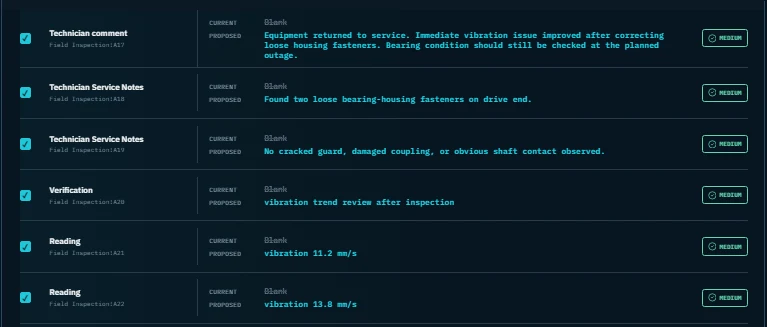
01EXISTING EXCEL02FIELD EVIDENCE03PERSONNEL REVIEW04REPORT OUT
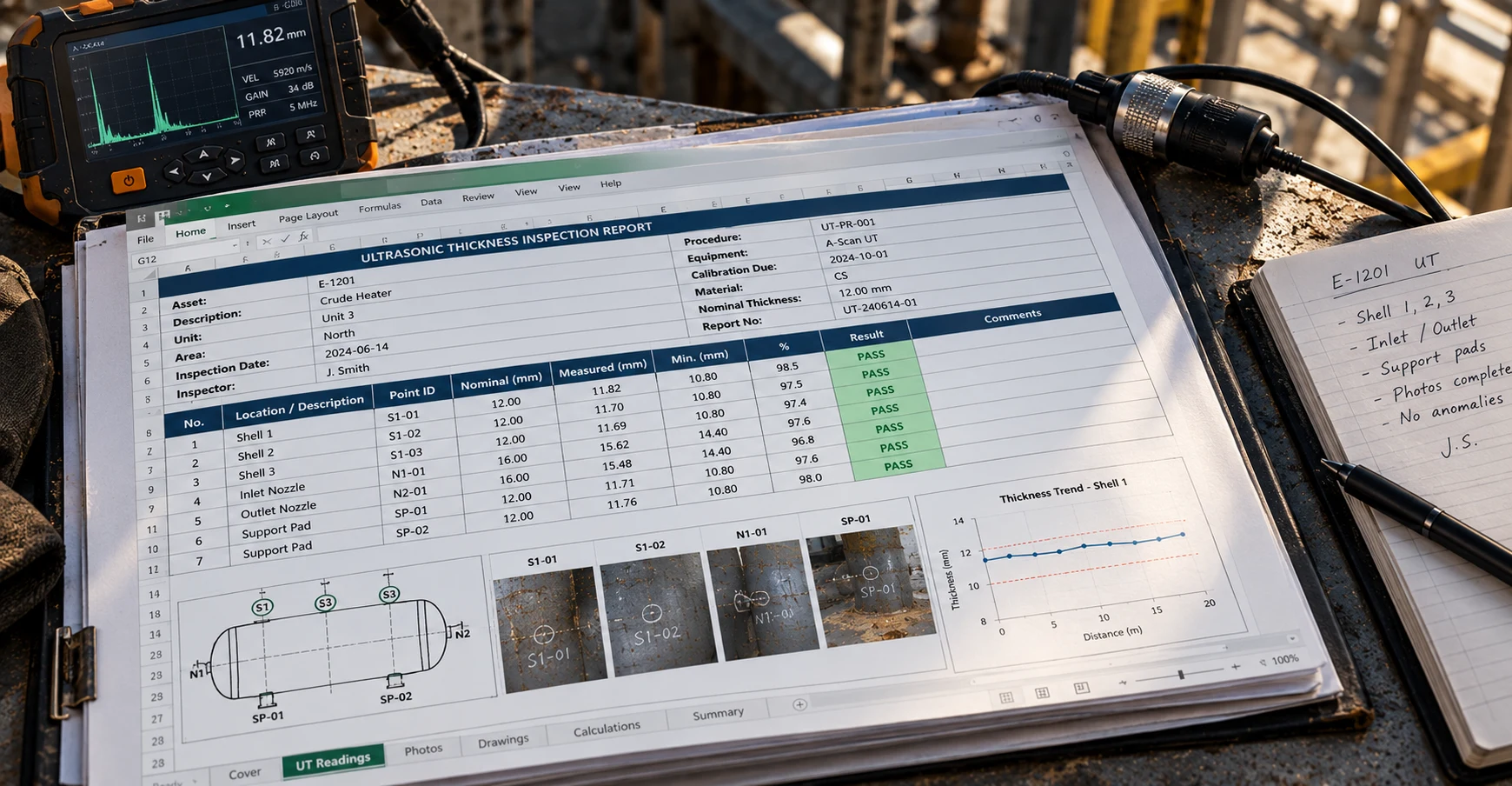
AVAILABLE NOW · 01 · EXCEL-NATIVE REPORTING
Start with your existing controlled workbook.
ACTUALin works within the workbook your team already controls while preserving the reporting structure and familiar format.
Generate the completed workbook in the existing Excel format rather than exporting the job into a replacement layout.
YOUR WORKBOOK→ACTUALin→YOUR WORKBOOK
AVAILABLE NOW · 02 · FIELD EVIDENCE TO PROPOSED ENTRIES
Reduce the second round of typing.
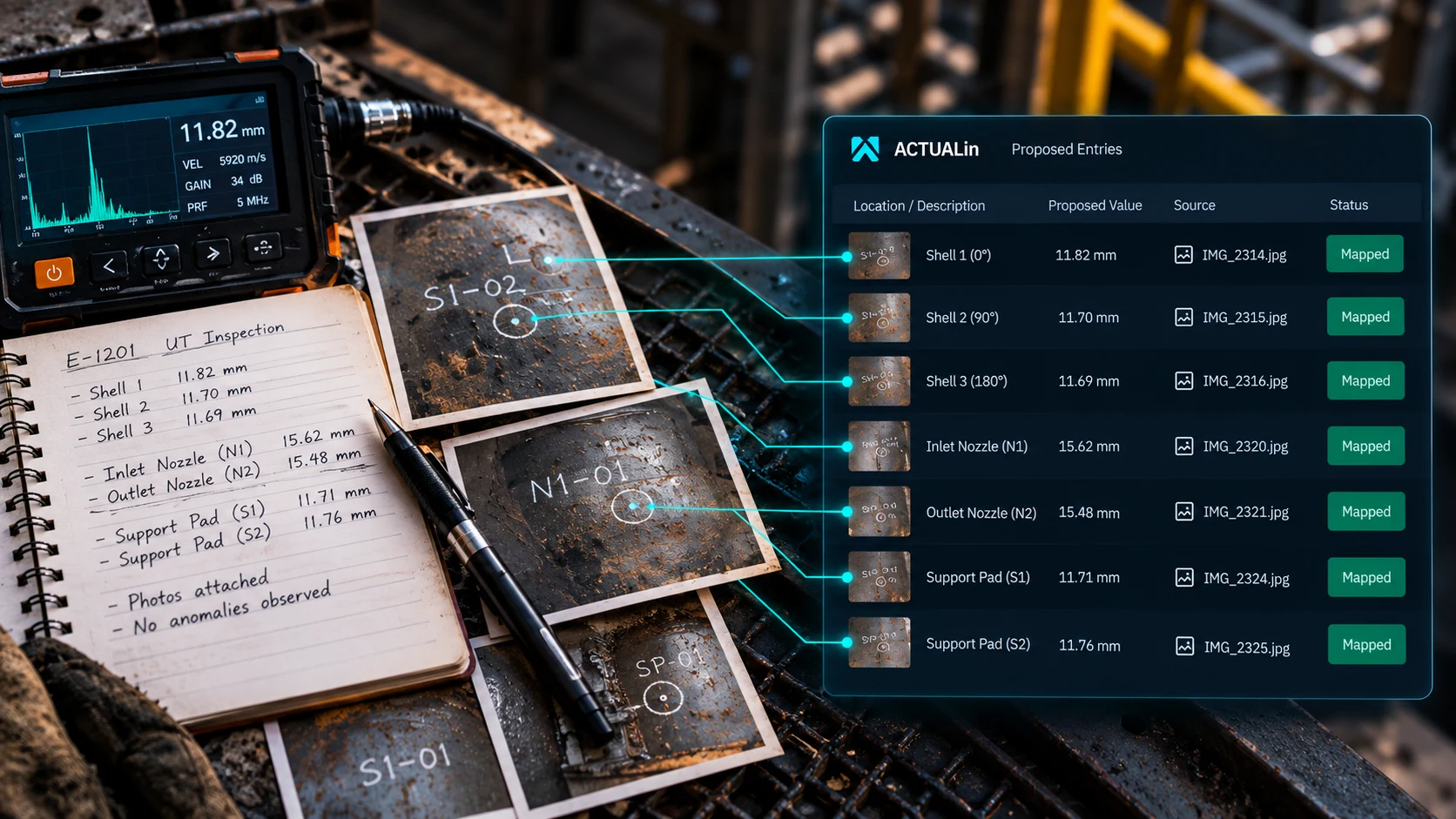
FIELD EVIDENCE IN
Measurements, observations, locations, results, notes and photo evidence enter the reporting workflow.
STRUCTURED PROPOSALS
ACTUALin associates supported evidence with relevant report destinations.
YOU REVIEW IT
Proposed changes remain visible for verification by personnel before anything is written.
THE ACTUAL WORKFLOW · CURRENT PRODUCT
From field evidence to report changes reviewed by personnel.
Real ACTUALin workspace. The controlled workbook and field evidence stay visible before analysis moves into review.
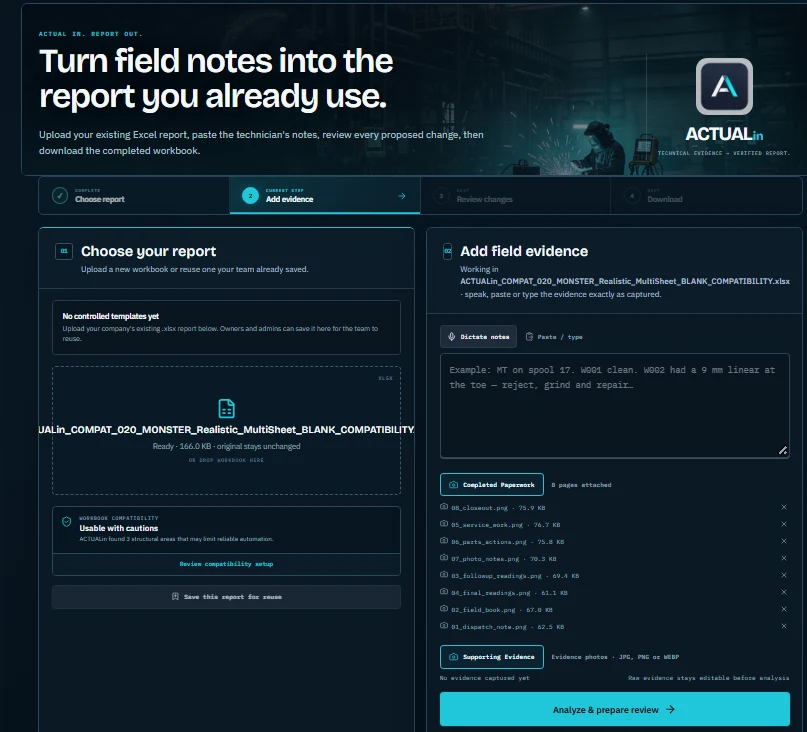
The report being worked on stays visible, including workbook compatibility status.
Add completed paperwork, notes and supporting evidence before analysis.
ACTUALin analyzes the evidence and prepares proposed changes for the review by personnel step.
Nothing is silently written from this screen. Proposed changes move forward for review and approval.
AVAILABLE NOW · 03 · PERSONNEL-IN-CONTROL
You decide what gets written.
ACTUALin proposes report changes. You review the proposed content before anything is written to the workbook.
PROPOSE→REVIEW→APPROVE→GENERATE
TECHNICAL AUTHORITY STAYS WITH THE TECHNICIAN
ACTUALin does not independently decide whether an inspection passes or fails.
AVAILABLE NOW · TEMPLATE BUILDER
Need a report template? Build one.
Choose reporting fields and features or describe what the report needs to contain. Optional example paperwork, notes and photos can help propose a structure. Review the proposed fields and cautions before generating a blank Excel workbook.
ACTUALin / BUILD TEMPLATEACTUAL PRODUCT INTERFACE
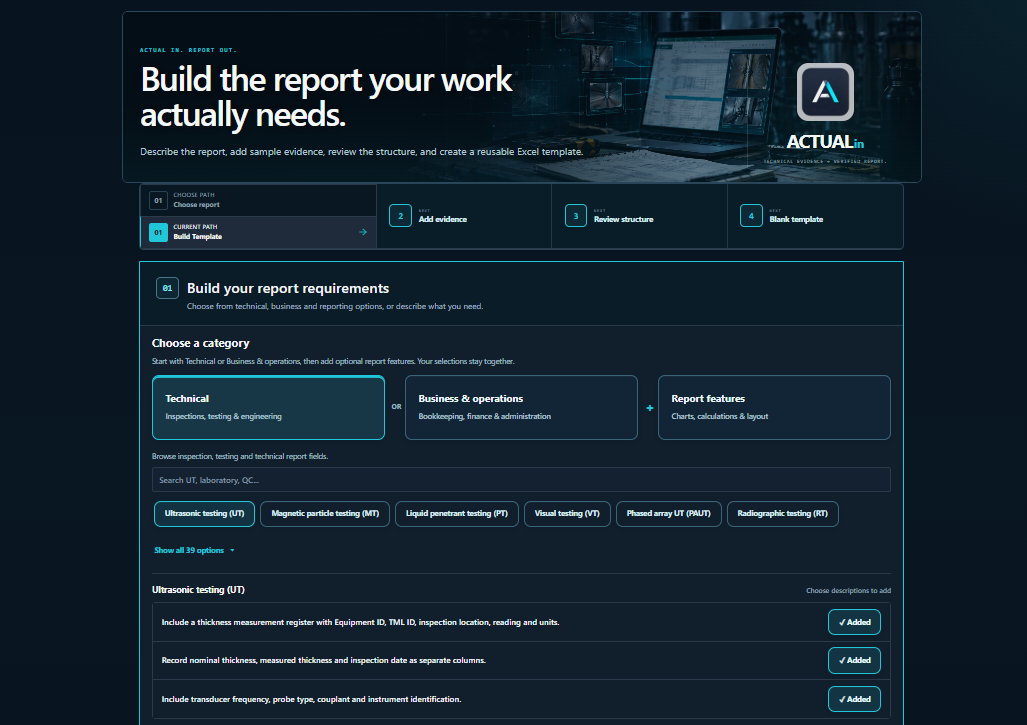
Select technical, business or report features, or write your own instructions.
Inspect proposed sections and fields. Unsupported or unclear requirements need review rather than assumptions.
Generate a reusable .xlsx template. Preview the result and check compatibility before using it for reporting. Saving and downloading templates require a paid plan.
Build Template supports defined workbook structures and features; it is not a promise that every requested layout, formula or reporting requirement can be generated.
Explore Build Template in your workspace →AVAILABLE NOW · 04 · WORKSPACE & HISTORY
Keep reporting work organized by company workspace.
Paid team plans support a shared company workspace for reporting work.
Completed reporting jobs remain associated with the workspace so prior work can be referenced without starting from scratch.
Start with a real free plan, then move to Crew or Business as report, template and team usage grows.
AVAILABLE NOW · PORTABLE AUDIT RECORDS
Keep a generation record beside your completed Excel report.
Crew and Business workspaces can download a JSON generation manifest alongside newly generated Excel reports, without adding worksheets or modifying the workbook.
The record includes the report ID, generation time, creator, approved-change count and SHA-256 fingerprint of the completed workbook.
Audit downloads follow workspace access and report retention. Historical reports without a recorded manifest are not retroactively certified.
The manifest documents report generation only. It does not provide individual cell-by-cell approval history, an electronic signature or certification of inspection findings.
AVAILABLE NOW · 05 · PHOTO PLACEMENT
Put supported evidence images into the report where they belong.
Place supported evidence images into authored report photo sections when the workbook provides a legitimate destination.
Keep image placement tied to supported equipment, inspection-point and report-record associations instead of floating photos into arbitrary locations.
When the workbook does not provide a legitimate photo destination, ACTUALin preserves the evidence reference without inventing a placement.
PRIVATE TEAM WORKSPACES
Your reports stay in your workspace, not a public database.
Saved workbooks, templates and report history are scoped to your authenticated company workspace. Authorized members of that workspace can access its reporting records; outsiders do not get access just by having an ACTUALin account. Free Sandbox previews can be shared separately only when someone creates a temporary read-only link. See our Privacy Policy.
BUILT FOR NDT & INSPECTION
Domain-specific workflow, not a generic field form builder.
ACTUALin is focused on technical inspection reporting, including workflows around UT, MT, PT, VT, welding inspection and related QA/QC work. Explore ACTUALin for NDT reporting.
COMING TO ACTUALin · NOT YET AVAILABLE
More ways to capture field evidence.
Available today: voice input, pasted field data and photo evidence with controlled equipment, inspection-point and report-record association. The capabilities below are planned and are not part of the current workflow.
Bring additional inspection documents into the reporting workflow for technician review.
Capture inspection information closer to where the work happens.
ACTUAL IN. REPORT OUT.