FIELD & INSPECTION REPORTING · 9 MIN READ
What Parts of a Technical Report Should Actually Be Automated?
The goal of technical report automation should not be to remove the technical professional. It should be to remove work that does not need their judgment while making the decisions that do need it easier to review.
For the underlying technical principles, NIST's AI Risk Management Framework addresses governance and risk management for AI, while W3C's PROV model defines how information can be linked to its sources and transformations. These sources describe the underlying concepts, not ACTUALin performance.
Published September 28, 2026 · ACTUALin Technical Resources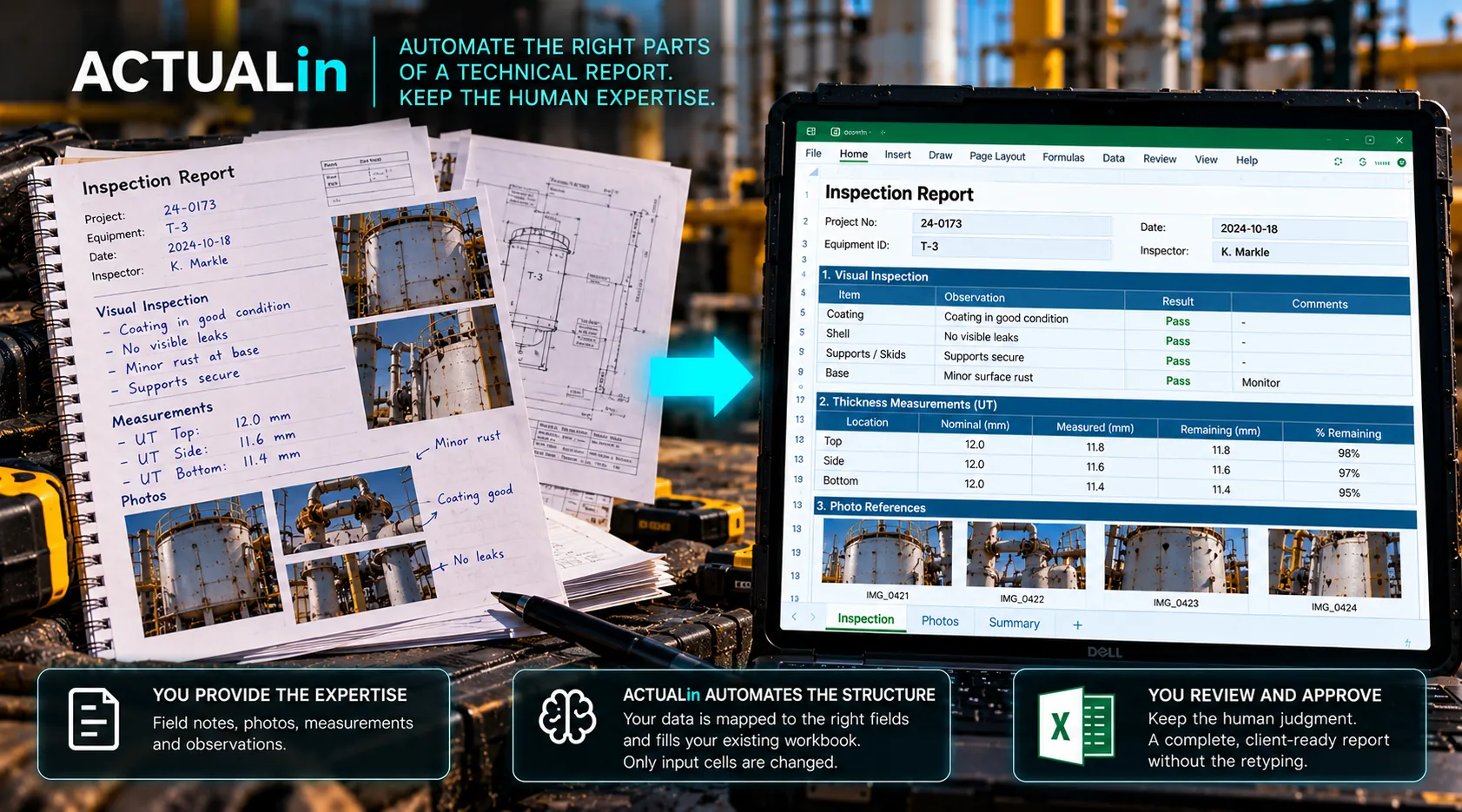
Automating a technical report is not one decision. A job identifier, a recorded measurement, a photograph, a calculated result and an acceptance statement may all appear in the same workbook, but they do not require the same kind of control.
A useful starting point is to judge each reporting task separately. Ask what is already known, how confidently it belongs in a particular report field, and who has the authority to approve the result.
A four-question test for each report field
1. Is the source already recorded? Moving an existing job number or measurement is different from creating a missing value or drafting a conclusion.
2. Is the destination identifiable? A label on a worksheet is not always enough. Repeated sections can make two cells look equally plausible.
3. Does the action require new technical judgment? Formatting a confirmed value is different from evaluating it against a method, specification or acceptance limit.
4. Can the change be checked before it is final? A reviewer should be able to see the evidence, the proposed destination and unresolved conflicts without reverse-engineering the finished workbook.
Recorded evidence + established destination + no new technical decision + reviewable change = strong automation candidate
These are editorial decision criteria, not a claim that every ACTUALin customer workbook has passed all four checks.
Apply the test to an ordinary inspection report
Consider a hypothetical report containing the following tasks. The point is not to score the whole report as automatable. It is to choose a different treatment for each step.
Job details: Copy an existing inspection date and asset identifier into clearly designated header fields. If source and destination are confirmed, this is mainly controlled transfer.
Recorded measurements: A thickness reading with a known unit and component may be proposed for a matching workbook input. If two component sheets contain the same field name and the source lacks an asset identifier, placement must wait for clarification.
Photographs: An image associated with a specific observation may be proposed for an established report location. An unidentified image should not be placed by filename or capture order alone. Photo placement in customer workbooks also requires separate layout and content-preservation checks.
Existing calculations: A formula already authored in the customer's workbook should generally remain intact while approved source values populate intended inputs. Introducing new calculations or replacing formulas requires a different validation process.
Acceptance and conclusions: A pass or fail statement may depend on a procedure, criteria and qualified technical judgment. Automation can prepare its supporting evidence but should not invent or approve the conclusion.
Where the automation boundary moves
The same field can cross the boundary depending on the available context. Transferring a thickness result becomes straightforward when its source, unit, component and workbook destination are all supported. Remove the component identifier and the task changes from transfer into an unresolved association.
A technically correct number in the wrong equipment section still creates a wrong report. That is why destination certainty matters as much as accurate transcription.
Clear source and destination → propose transfer. Missing identity or conflicting locations → hold for review.
The NIST guidance on metrological traceability describes documented relationships between measurement results and their references. The W3C provenance model provides a framework for relating information to its origins. Neither source determines the appropriate automation boundary for a particular customer's report, but both reinforce why an entry must remain connected to supporting evidence.
Separate review from workbook execution
Once a person has approved an evidence-to-field association, the workbook writer should not have to interpret it again. It should execute a narrow, permitted change and preserve untouched formulas, merged cells, images, formatting and authored content.
Review is not the same as manually retyping the entire report. It should focus attention on uncertain associations, exceptions and technical conclusions. Straightforward transfers can be checked without asking technicians to rebuild the document.
For more detail about where AI may assist with interpretation rather than execution, see Where AI Fits in Inspection Reporting. The two questions are related, but they are not identical: this framework decides which tasks to automate; the AI article examines where language and context interpretation may help.
What to test before committing to automation
Use a copy of a representative customer workbook, including repeated fields, protected or authored content, formulas, and real reporting constraints. Provide source data that includes both obvious and ambiguous associations. Check not just whether values arrive in cells, but whether unrelated content remains unchanged and unsupported items stay unresolved.
The strongest starting task is usually one where the evidence is already available, the destination is established and no new technical interpretation is required. Expand only after the exception cases have been tested.
That is a more useful goal than trying to automate every blank field in the report. It reduces repetitive assembly while keeping technical decisions and final authorization with the people responsible for them.