 ACTUALin
PHOTO & EVIDENCE REPORTING · 9 MIN READ
How to Put Inspection Photos Into Existing Excel Reports Without Doing It Manually
The difficult part of putting inspection photos into Excel is not inserting an image. It is preserving what the photo belongs to, finding the correct report location and fitting the evidence into an existing workbook without breaking its structure.
For the underlying technical principles, W3C's PROV model defines how information can be linked to its sources and transformations, while Library of Congress image-format guidance covers image and metadata preservation. These sources describe the underlying concepts, not ACTUALin performance.
Published September 29, 2026 · ACTUALin Technical Resources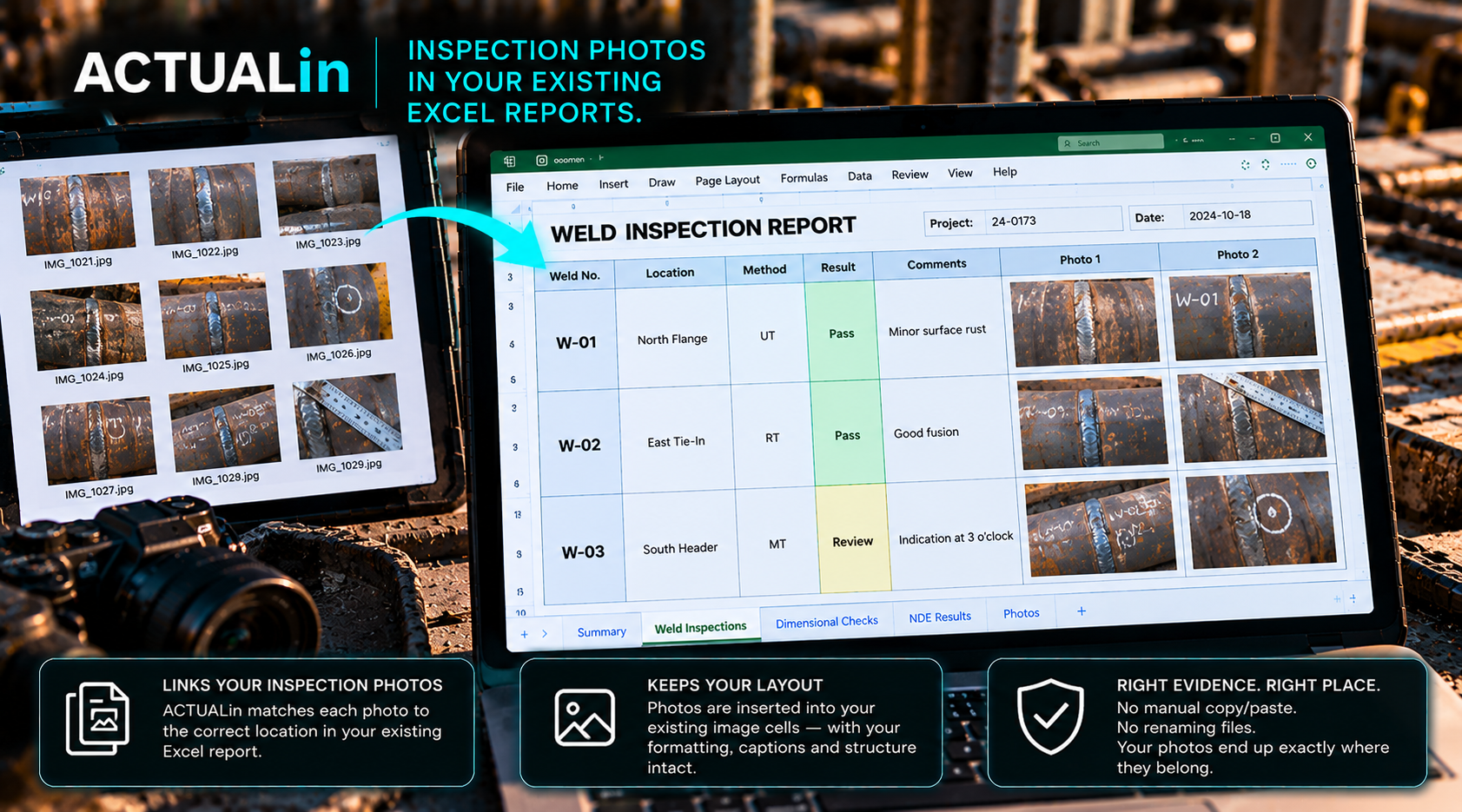
Getting a picture into Excel is straightforward. Putting the right inspection picture into the right part of an existing customer's workbook, without damaging that workbook, is a different problem. ACTUALin's internal photo-placement development test provides a useful example of the difference.
What happened in the development workbook?
In one controlled internal test, an Excel workbook had reserved regions for inspection photographs. The placement logic assigned four photo identifiers to four specific areas: 4102 to E4:H15, 4103 to A19:D30, 4104 to E19:H30, and 4105 to A34:D45. These are cell ranges in that test workbook, not universal image locations or a recommended template.
Other images did not receive a safe placement. Competing candidates 4101 and 4107 were withheld, as were 4106 without sufficient context and 4108 with an equipment mismatch. Those withheld items matter: a system that fills every space regardless of the evidence may produce a finished-looking but inaccurate report.
Test result: four reserved-region placements; four images withheld rather than forced into a destination
This was an internal, controlled test of the image-placement safeguard. It was not a customer deployment, a measured productivity study, or proof that photo association works across arbitrary Excel templates. The photo register and reviewer-related output also needed further work. Those are limitations, not details to hide.
Why did some photos stay out?
The destinations were not interchangeable. If two photographs compete for one reserved region, choosing one by upload order does not establish which observation it documents. An image with a weak component reference cannot safely be attached to whichever similar report section happens to be empty. An equipment mismatch is stronger evidence against a placement than a convenient available cell is evidence for it.
The practical choice is between a visibly unresolved photo and a plausible photo inserted into the wrong inspection section. For technical reporting, the unresolved item is generally the more defensible result until a person supplies or confirms the missing context.
The workbook is part of the evidence problem
In the internal test, the reserved regions made placement possible to check. Customer workbooks do not necessarily provide those regions. One might have a dedicated photo register. Another might use merged cells and repeated area headings. A third might have no photo locations at all.
A blank rectangle is not necessarily a photo slot. It might be deliberate spacing, a signature area, or a part of the print layout. An existing drawing might be a customer logo or reference diagram that must not be displaced. Before adding an image, the workflow has to establish that the destination is intended for evidence, and that the insertion will preserve existing workbook content.
That is why “export these photos to Excel” and “populate the customer's existing report” are different requirements. A new gallery worksheet may organize images but still fail the customer's expected deliverable.
What should the reviewer actually confirm?
The reviewer needs to inspect the proposed image, the asset or component it represents, the field observation supporting that association, and the destination sheet and region. Where a caption is required, it should reflect the original evidence rather than repair missing context with an invented description.
Original photo + recorded observation + component identity + proposed workbook region → review decision → permitted placement
If the source does not identify the component, or if multiple destinations remain plausible, the safe action is to leave the association unresolved. A photo filename, capture sequence, or nearby timestamp can be useful clues, but none alone proves which component appears in the image.
The harder test: a report with no photo placeholders
The next meaningful validation is not simply placing another photo into a reserved area. It is testing a workbook where the customer has not provided image slots, along with repeated sections and existing authored content. The system would need to propose an acceptable evidence location for review, or state that it cannot safely place the image. This behavior should be validated before being described as supported automation.
There is also a straightforward output check: did the generated workbook retain its formulas, existing images, print layout and captions, and did the photo register, if present, reflect what was actually placed? A placement can look correct in a screenshot while the rest of the workbook is wrong.
What this means for teams using Excel today
Start with one real workbook and representative photographs, including a few ambiguous ones. Identify which image destinations are explicit and which would require an editorial or technical decision. Then verify both the placed images and the images that were deliberately withheld. The outcome worth measuring is not merely how many photos were inserted; it is how many were placed with defensible evidence links and without breaking the client's report.
For the broader evidence relationship, see why inspection photos need to stay connected to observations. For this article, the central lesson is narrower: a controlled image writer is useful only after the correct destination is established.