PHOTO & EVIDENCE REPORTING · 9 MIN READ
Automating Photo Evidence in Technical Reports
Automating photo evidence is not one action. A reliable workflow has to preserve what each image belongs to, decide where it should appear, expose uncertain associations for review and modify the final report without damaging its existing structure.
W3C provenance model explains relationships between information and its origins; the Library of Congress still-image guidance describes image-format and metadata considerations.
Published September 30, 2026 · ACTUALin Technical Resources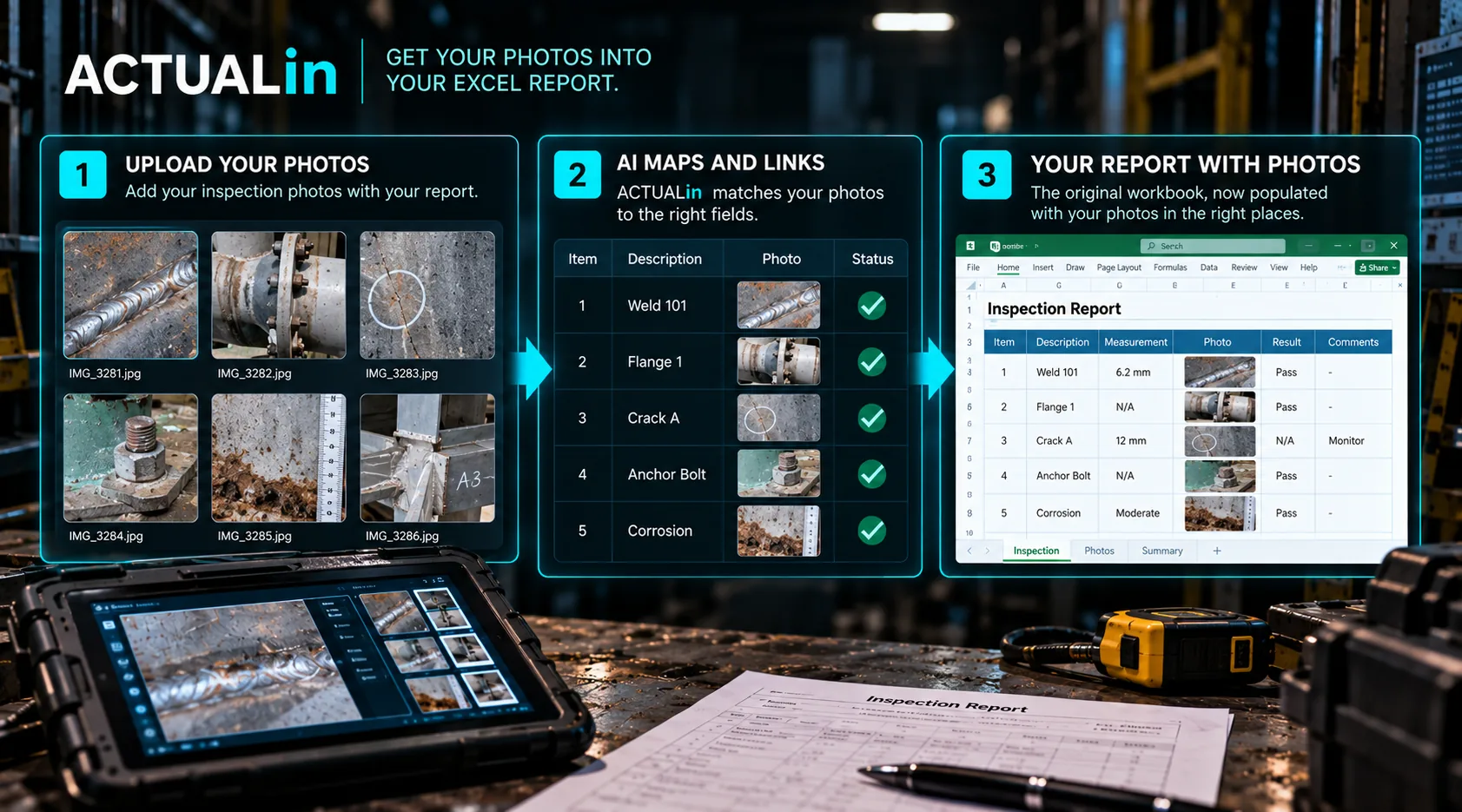
Automating photo evidence in technical reports involves three different jobs: identifying what each photograph supports, identifying where it belongs in the customer's report, and placing it without changing unrelated workbook content. If any of these steps fails, faster image insertion does not produce a reliable report.
The safest place to begin is not the insert-image button. It is the handoff between the photograph captured in the field and the report entry that needs it.
Follow one photograph through the workflow
Consider an illustrative inspection where a technician photographs a surface condition on Component B. The image is saved with a camera-generated filename. The technician also records the observation and component location in a separate field note.
At report time, the system needs to identify the photograph, connect it to the Component B observation, find the intended image location in the existing workbook and propose that placement for review. The fact that the image and note were created close together may help, but sequence alone cannot establish their relationship.
Original image + recorded component and observation → candidate report destination → review → permitted workbook write
This scenario illustrates how to evaluate a workflow. It is not a customer result or a claim that arbitrary photograph sets can already be placed automatically.
Separate evidence association from destination selection
There are two questions that should not be collapsed into one. What does this photograph support? That requires enough original context to identify an asset, area or observation. Where should that supported photograph appear? That depends on the customer's workbook structure and the chosen reporting convention.
An image can have reliable evidence context while its Excel destination remains undefined. Conversely, a workbook can have a clearly labeled photo area while the image itself lacks a supported component association. Neither condition justifies a guess.
For more about the original evidence relationship, see keeping inspection photographs connected to observations. For workbook-specific placement constraints, see the photo-placement development test.
The practical stop conditions
Conflicting identity: Two photographs compete for a location, or the recorded equipment identifier disagrees with the proposed section. Withhold the placement until a reviewer resolves the conflict.
Missing location: The image has an observation but the workbook does not provide an established image area. Propose a destination for explicit review or leave the image unresolved rather than inserting it into an arbitrary blank region.
Workbook risk: A proposed placement could obscure existing content, disturb drawing objects or change customer-required print behavior. Protect the original file and stop the unsafe modification.
Supported relationship and safe destination: propose placement. Missing or conflicting support: hold for review.
What a meaningful acceptance test checks
Use copies of the actual workbook, not only a purpose-built demonstration sheet. Include correctly identified photographs alongside files with weak filenames, competing component references and no clear destination. Preserve existing logos, formulas, captions and print settings in the baseline.
Inspect the generated XLSX for three things: which images were inserted, which were withheld and what else changed in the document. A successful result should preserve unrelated workbook content and make unresolved associations visible to the reviewer.
ACTUALin's internal photo-placement development testing has shown reserved-region placements alongside deliberately withheld ambiguous images. That does not establish general support for customer workbooks without explicit image locations, and photo-register behavior remains an area requiring validation.
Automation should reduce reconstruction, not hide it
The time-consuming step is often reconstructing why an image was taken and which observation it belongs to. A dependable workflow preserves that context early, reviews the proposed relationship and performs a narrow, authorized write.
Image insertion is the last step. The value comes from being able to explain why that particular photograph appears beside that particular finding in the final report.